










A disposable camera for weddings, christenings and supras

One roll for the whole party

A QR on the table, and every guest shoots on one shared roll, just like a disposable camera. The roll develops next morning, and everyone gets one album.

  • While Firi is in pilot, until 27 November 2026, every tier is free.
  • Guests don’t install anything — they just type their name.

Need a hand with your first celebration? Email us: hello@firicam.com

A celebration in four frames

One roll — from the first toast to the morning after.

  1. FIRI 400 ▸ ANA & GIORGIDevelops tomorrow, 10:00
    20left
    01

    The table

    Every table gets a card with a QR code. A guest points their phone camera at it or taps the NFC sticker, types a name — and the party camera is open. No app, no sign-up.

  2. 102030 shots per guest
    02

    The camera

    Every guest gets 10, 20 or 30 shots — as many as the host chose. No peeking and no retakes: click, and back to the party.

  3. 02:15waiting to develop
    03

    The night

    Toasts, dancing, the far tables. Until the roll develops, no guest sees the shots — so the party stays off the phones. A weak signal is fine: shots wait on the phone and upload by themselves.

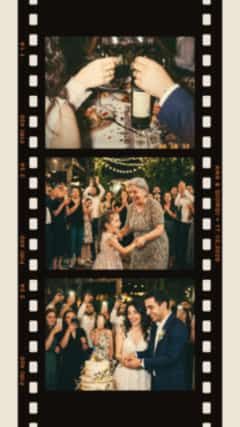
  4. 10:00develops Stories collages made from the developed shots
    04

    The morning

    At the chosen time the roll develops for everyone at once, in one shared album. By default, weddings develop at 10:00 the next morning. Turn the shots into a collage for Stories.

If it’s your celebration

The host sets up the event from a phone — in the app or on the website. Here’s what you decide.

Shots per guest

  • 10shots A short evening
  • default 20shots The whole evening
  • 30shots A long supra with toasts and dancing

Film running out mid-party? The host can add more shots. And if the host allows it, guests can add up to 10 photos from their phone’s gallery.

  • When it develops

    Right away, when the party ends, 12 or 24 hours later, or at 10:00 the next morning. Can’t wait? Tap “Develop now”.

  • Who sees what

    The host and co-hosts see new shots right away and remove anything that shouldn’t be there. The gallery is shared, or private — then each guest sees only their own photos.

  • A screen at the venue

    A slideshow on a TV or projector with the QR in the corner — new shots right away, or only once they develop.

  • The “Disposable” filter

    Warm film, grain and a date stamp in the corner. The originals are kept, so the filter can be changed even after the party.

  • The whole album in one ZIP

    After the party the host downloads every photo in one ZIP archive.

Cards for the tables

Six styles, six paper colours and three formats: for the table, for a frame by the entrance and as a sticker. The host downloads a print-ready 300 dpi PNG in the guests’ language.

  • A Firi table card with a QR code: “Film” style on “Paper” paper
    Film · Paper
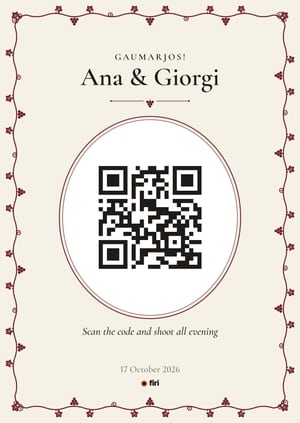
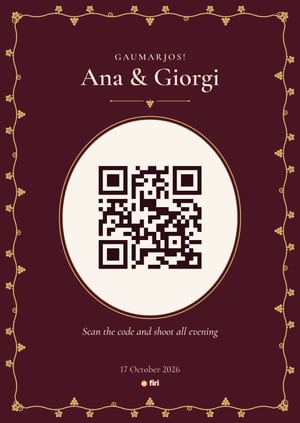
  • A Firi table card with a QR code: “Supra” style on “Saperavi” paper
    Supra · Saperavi
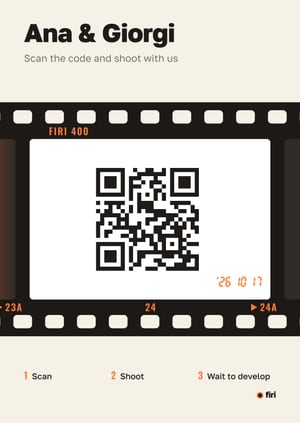
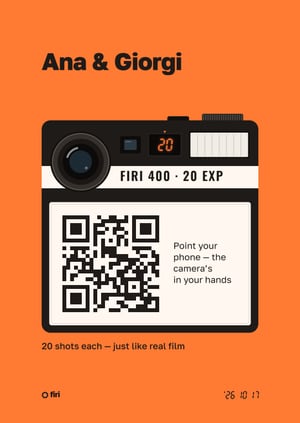
  • A Firi table card with a QR code: “Disposable” style on “Mandarin” paper
    Disposable · Mandarin
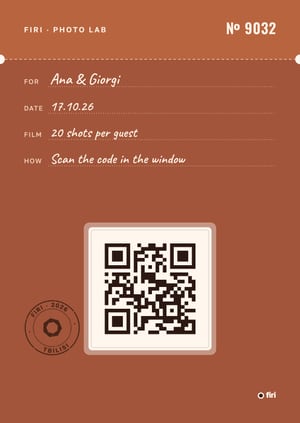
  • A Firi table card with a QR code: “Envelope” style on “Qvevri” paper
    Envelope · Qvevri
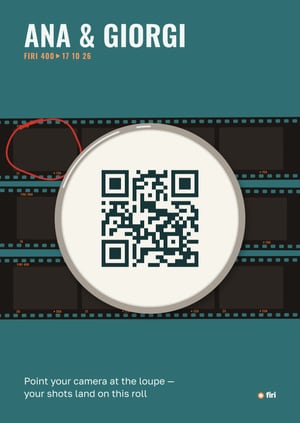
  • A Firi table card with a QR code: “Contact sheet” style on “Turquoise” paper
    Contact sheet · Turquoise

NFC sticker

You can write your party’s link to an NFC tag and stick it on a card — there’s a square format for that. A guest holds their phone to it and the camera opens, no scanning needed. Works on iPhone XS and newer and on Android with NFC turned on.

A few words from the tamada

A ready-made script for the tamada to announce the camera: what the QR codes on the tables are, how many shots everyone has and when the photos develop. In three languages — adjust the shots and the time to your party.

Dear guests! There’s a card with a QR code on every table. Point your phone camera at it and you’ve got a roll of 20 shots. Capture everything you see — tomorrow at 10 a.m. all the photos will develop in a shared album.

Try it yourself

Point your phone camera at the code to open the camera of our demo party, and take a couple of shots.

Open the demo camera

Questions

Still have questions?
Email us

How do I get started?

Tap “Create an event” — in the app or right here on the website — name your celebration and choose how many shots each guest gets and when the roll develops. Then download the table cards with the QR code, print them and put them on the tables. Need a hand with your first celebration? Email us at hello@firicam.com.

What does a guest need?

Just a phone with a camera. They point it at the QR or tap the NFC sticker, and the party camera opens right in the browser, on iPhone or Android. Nothing to install, no sign-up: guests only type their name.

What if the signal at the venue is bad?

Opening the camera needs a connection. After that guests can keep shooting even with a weak signal: shots wait in a queue on the phone and go to the album by themselves once there’s signal — or, if the guest closed the page, as soon as it’s opened again.

When will guests see the photos?

When the host decides: right away, when the party ends, 12 or 24 hours later, or at 10:00 the next morning — the default for weddings. The host and co-hosts see new shots immediately and can remove any of them. The gallery can be shared or private — then each guest only sees their own photos.

What if I don’t want to be in someone’s photo?

Tap “Report” → “I’m in this photo” under it, and it’s hidden for everyone right away. Guests delete their own photos themselves: gallery uploads right away, camera shots once they develop.

How many shots should we pick?

For a long feast with toasts and dancing, 20 or 30 shots per guest; 10 is enough for a short evening. If the film runs out mid-party, the host can add more shots in the event settings.

How long are photos kept?

The album of a paid event is kept indefinitely, until the host deletes it. A free one is kept for a year, and we send a reminder 30 days before it’s deleted. A deleted album stays in the trash for 30 days and can be restored. Or the host can delete it forever right away — then the photos are erased at once.

How much does it cost?

While Firi is in pilot — until 27 November 2026 — publishing an event at any tier is free: just create it yourself in the app or on the website. After the party we’ll ask you for a short review. Later the price will depend on the number of guests — we’ll let you know in advance.